


Introduction
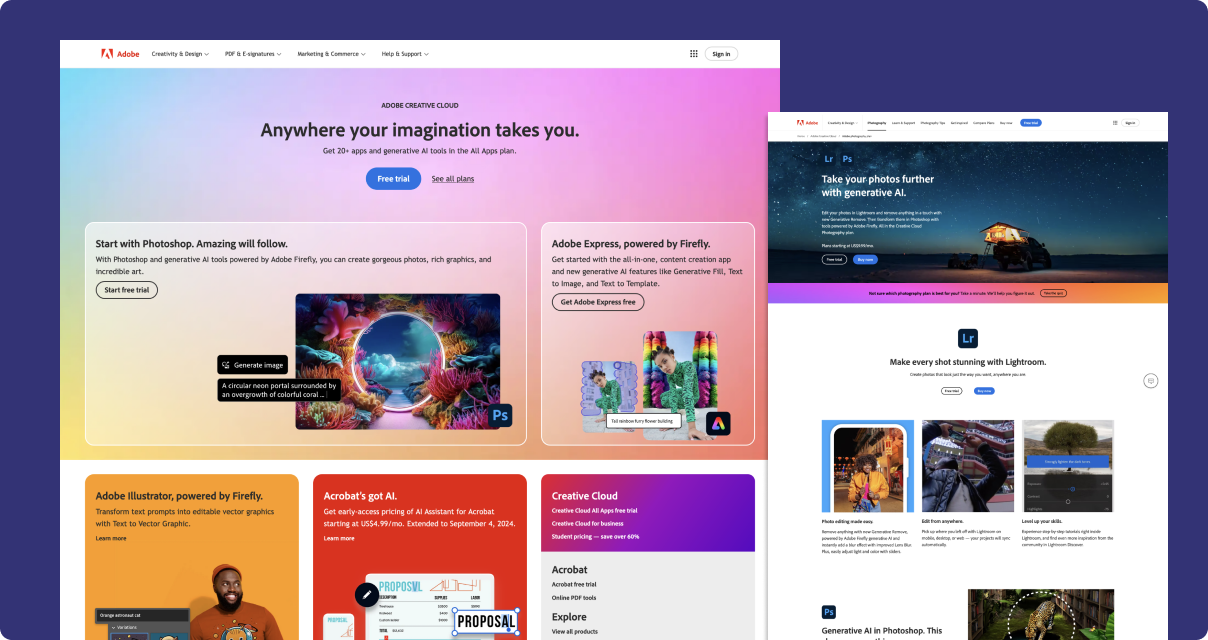
Consonant is an internal design system based on Spectrum, Adobe's design system. Our library is responsible for the adobe.com website, including marketing pages for over 50 products. It comprises 40 component families, serving 170+ teams, with 7M+ asset insertions a year.
After four years of building 0 → 1 design libraries for agencies and start-ups, it was time for me to take the next step and learn how to maintain and scale an enterprise-level design system.
My role
170+ consuming teams · 7M+ asset insertions/yr · ~1,000 published components · 3% detach rate · ~30 versioned releases
I joined to help complete the transition from Adobe XD to Figma. As lead designer, I now own the architecture and governance of the Consonant libraries — a system that's grown from a beta into a versioned, governed platform, with a two-year deprecation pipeline that's absorbed a major-version migration and a corruption recovery. 660 variables power one-click breakpoint switching across the library, and my in-canvas annotation layer has become the single most-used asset in the system.
That groundwork now feeds Consonant 2. As its primary designer, I'm building the next generation of the system — a standalone block library that distills three years of C1 lessons: design-safe architecture, governance designed in from the first component rather than retrofitted, and a structure that absorbs strategy pivots without rebuilds. It's prepared to carry marketing pages for 50+ products ahead of its production debut.
Principles
Component properties and organization
A key part of my work was reorganizing the Figma library into a more uniform system. I find that consistency builds muscle memory, which is fundamental to an instinctive, creative flow.
There are different kinds of design libraries. Some exist to communicate standards in the simplest way possible, while others are tooled towards making production more efficient. Production libraries can be foundational, product-specific, or a mix of both.
Consonant is a mixed production library. It contains some foundational elements, but mostly consists of organism-level blocks. As such, I felt it was best to optimize the library for rapid production.
To that end, these are some of the rules I established:
Component hierarchy
- Component pages are listed alphabetically, rather than in groups, so they match the Assets panel hierarchy
- Similarly, components are presented on each page alphabetically, left to right
Subcomponent hierarchy
- Use a ↳ prefix for subcomponent pages and section names. Designers don't use subcomponents directly, so this will clearly separate them from primary components in the Assets panel and other lists.
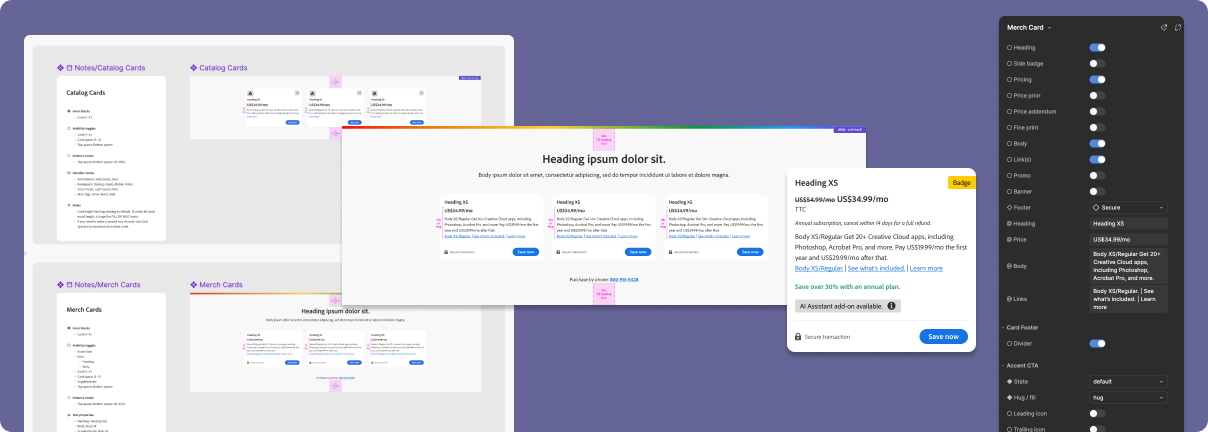
- Use the folder-name hack to group subcomponents together, e.g., “Merch Cards / Merch Card”. This enables deeper hierarchies and makes it easier to set up preferred instances.
- Avoid potential dependency conflicts between components. If necessary, just make a duplicate subcomponent.
Component properties
- Component properties are grouped in this order: variants, visibility toggles, instance swaps, and text (teams at Figma arrange them this way too)
- Use prefix icons for property names: ◆〇◇@. This allows us to use the same name for different property types and avoid same-name conflicts.
- Property names must be consistent between all components (Heading, Body, Action, etc.)
Instance swaps vs. variants
- For subcomponents (especially atoms), it's usually best to create a set of individual components for instance swaps, rather than one component with a set of variants
- Instance swaps with preferred instances allow us to soft-govern options on a case-by-case basis
- Use variants for “always-available” settings such as layouts (left, right, center) or states (selected, hover, error, open/closed, etc.)
Nested instances
- Nested instances should be only one level deep. Figma makes it extremely difficult to use multi-level nested instances.
- Build “flatter” components when possible, so we avoid unnecessary multi-level nested instances
- Rename instance layer names to make nested instance titles clearer: "Action 1, Action 2, Action 3" is better than "Primary Button, Primary Button, Primary Button"
- Complex subcomponents, such as cards, should not be exposed as nested instances of a grid component. Instead, have users select each card directly to access its properties.
Variable modes
- Don't use variable modes for individual settings. Splitting settings between modes and properties will force users to constantly hunt for them, which will exacerbate their cognitive load.
- Variable modes should only be used for settings that can be applied to a group of items together, such as breakpoint, corner radius, color mode, table cells, etc.
- Consistency should also be considered. Since we can apply a corner radius mode to a group of cards, then we should also use this mode for images, even though they're usually a single item and not a group.
Design Ops
Components workspace
Another early challenge was introducing a modern approach to organizing files and layouts in Figma.
Before I joined the team, each individual was responsible for their own design files. This lead to critical files being scattered among multiple teams, projects, and personal folders.
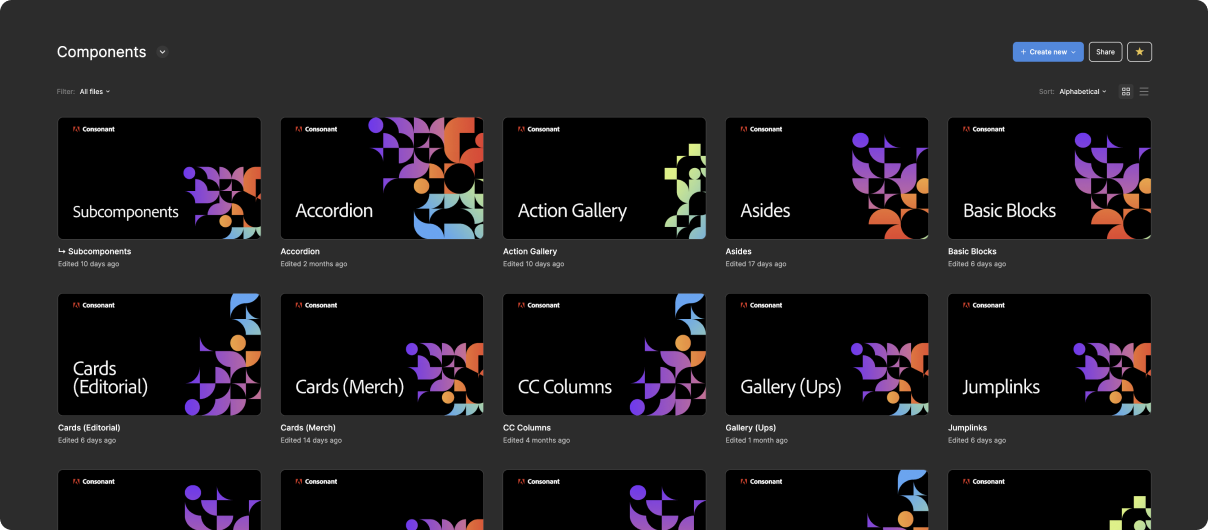
I quickly established a central repository for all of Consonant’s design work and materials. The file hierarchy matches the library exactly, grouping components together by family. All existing design materials were gathered into these files.
Traditionally, design files are a messy, stream-of-conscious assortment of pages and layouts. My workspace system still supports that process—it just keeps it all in one place.
Touchstones and milestones
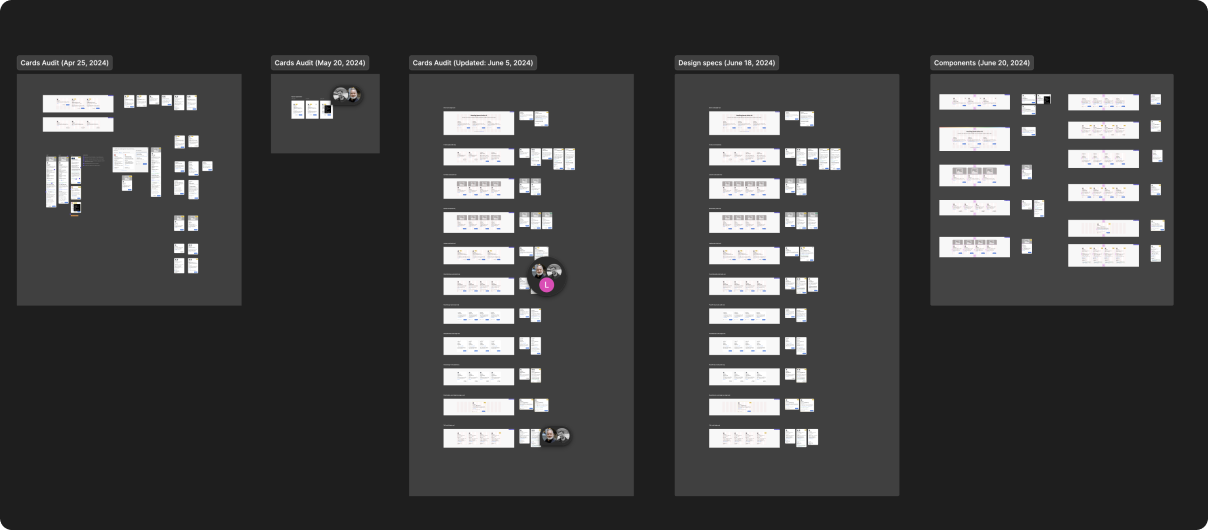
Within each component file is a set of clean, organized pages dedicated to design reviews. Relevant materials are collected and presented as touchstones.
Touchstones provide a consistent destination for anyone to join the discussion. The left-to-right, iterative approach provides a clear history of the evolution of each component.
Whenever we have a design sign-off, we copy the most-recent touchstone and add it to the milestones pages. Milestones provide a clear and obvious record of what actually will go into production.
Deprecating components
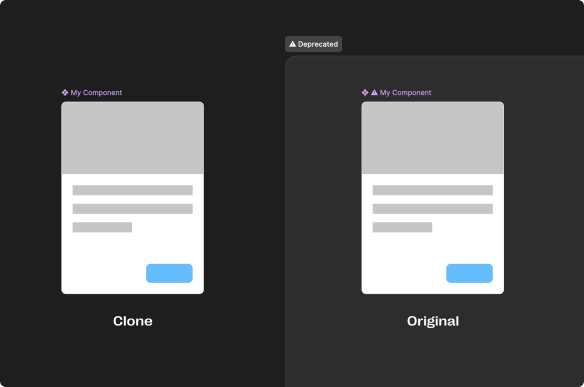
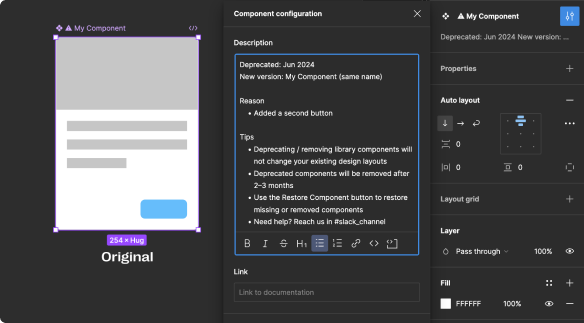
I established a deprecation process that allows us to update components without disrupting active design work and avoid exhaustive audits.
We deprecate components whenever we need to make a breaking change. A breaking change is anything that will alter the default view of a component, or cause existing design overrides to fail.
Whenever we need to do this kind of update, a clone of the component is created, the original is deprecated, and the updates are applied to the new component.
Variable Modes
Breakpoint mode
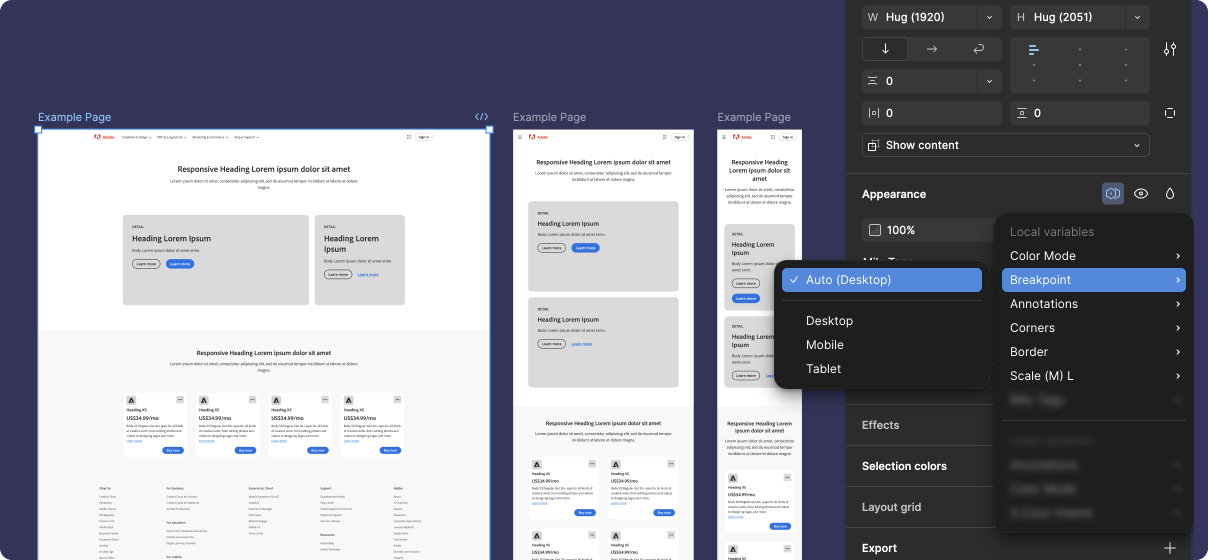
Instead of using variants or separate libraries to provide breakpoint layouts, we utilized Figma variable modes.
Every block in our library used variables to generate the desktop, mobile, or tablet layout. Breakpoint mode allows designers to switch breakpoints for the entire page of blocks, all at once with a single click.
This solution was easy to apply to most blocks, but became a significant challenge for others. The primary downside was that some solutions would break design-changes when switching breakpoints.
We provided annotations to point out any place this could happen, but in the end, our breakpoint mode feature provided only one minor (but very cool) convenience while creating many small inconveniences. So while this feature was a lot of fun to explore, I decided it would be best to skip it in our new library, Consonant 2, and use breakpoint variants instead.
Annotations mode
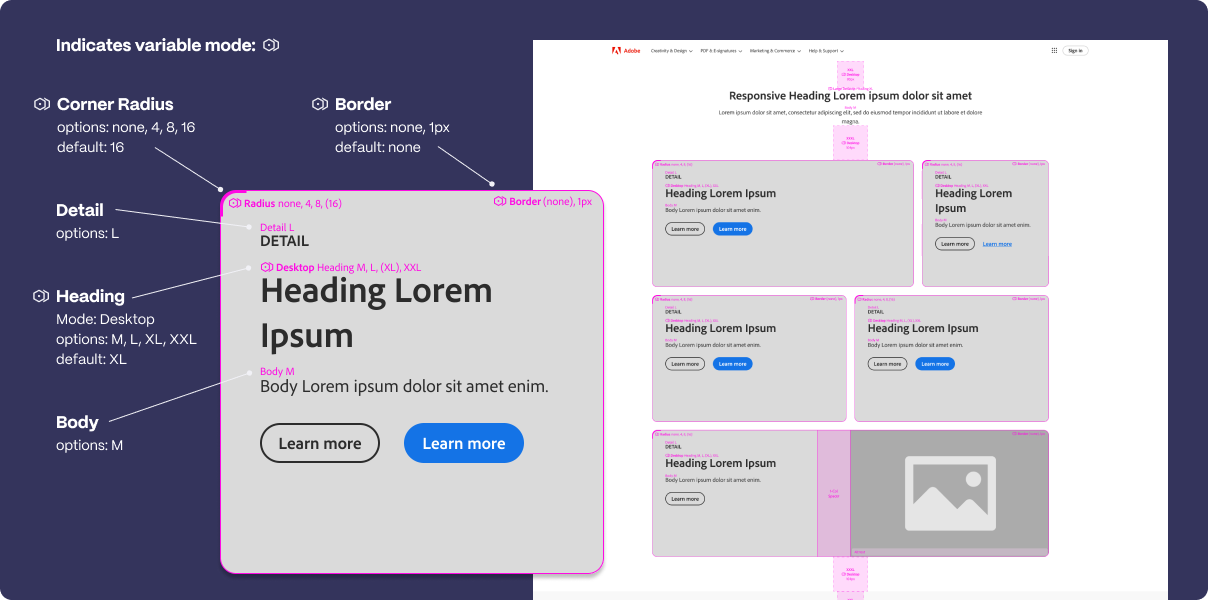
As we started implementing variable modes more and more, the biggest challenge we faced was explaining that variable modes actually existed in the library, let alone how to us them.
The solution was to add annotations directly within each component. This was inspired by Figma's dev mode annotations, but our approach worked better for several reasons:
- They're immediately accessible in all design layouts that use our components
- Each annotation matches the position and visibility of the element it describes
- They clearly identify variable mode settings, style options, and more
- They provide soft-governance for design choices
- They come with visibility options: hide all, show essential, and show all
Today, the annotation component is the single most-used asset in the library — 630k insertions a year.
Selected works











©2026 Radley Marx All rights reserved. Schedule a chat